A film scan comes back from the lab knowing nothing about itself: which camera,
when, what settings, where. Film doesn't record any of that, so somebody has to
write it down.
With metalign that happens as you go: log each frame as you shoot,
and when the roll comes back, the log is written into your scans as real metadata,
the kind a digital camera would have put there itself.
For iPhone and Apple Watch · iOS 17 or later, watchOS 10 or later · no account, no tracking
One scan of a demo roll, MountRobson-07.jpg — as the lab returns it, and
after its log is written.
Field
As delivered
After metalign
Camera
—
Leica M6
Captured
—
Aug 8, 2026 12:31
Exposure
—
1/250 · f/8 · ISO 100
Lens
—
35mm f/2
Film
—
Adox CHS 100 II
Location
—
53.1094° N, 119.1564° W
At the shutter
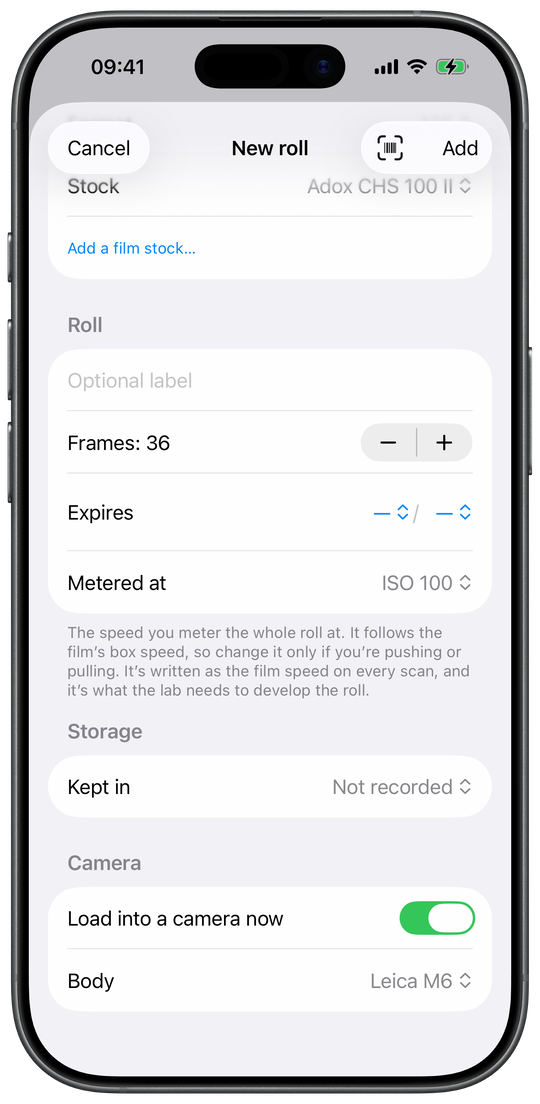
1Load a roll
Which film, which format, and the ISO you're rating it at. Or scan the barcode on
the box and the film fills itself in. Between rolls your film lives here too:
fridge, freezer, expiry date, and where each roll stands, from
Unused to Scanned.
123
New roll — the film at the top, the camera at the bottom.
The film, or the barcode on its box.
Metered at — the speed you rate the roll at. It
follows the box unless you're pushing.
Load it straight into a camera from here.
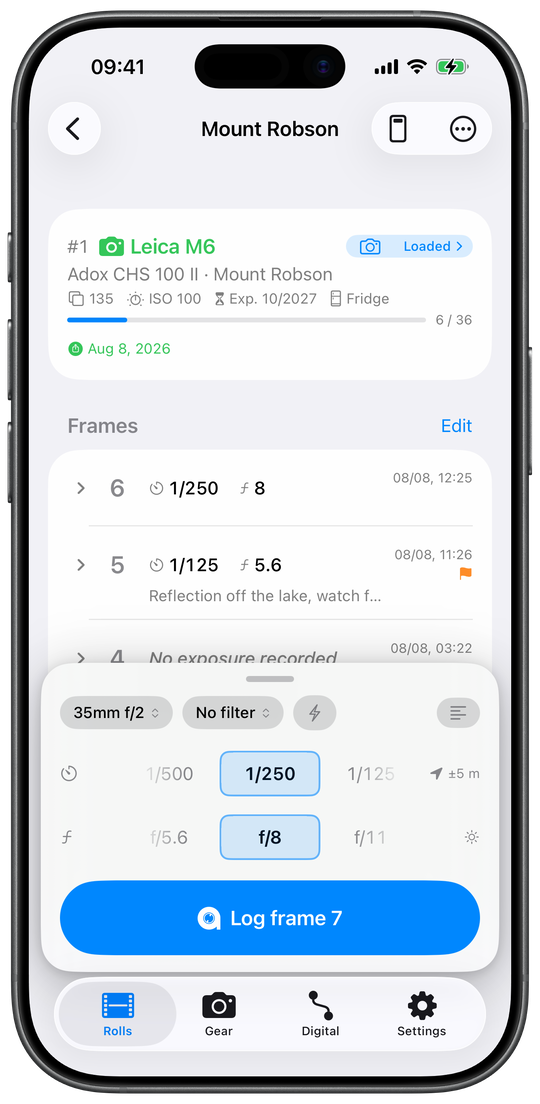
2Log each frame
Two dials and one tap. Time and place come along by themselves, the dials stay
where you left them, and a run at the same settings costs a tap a frame. Camera at
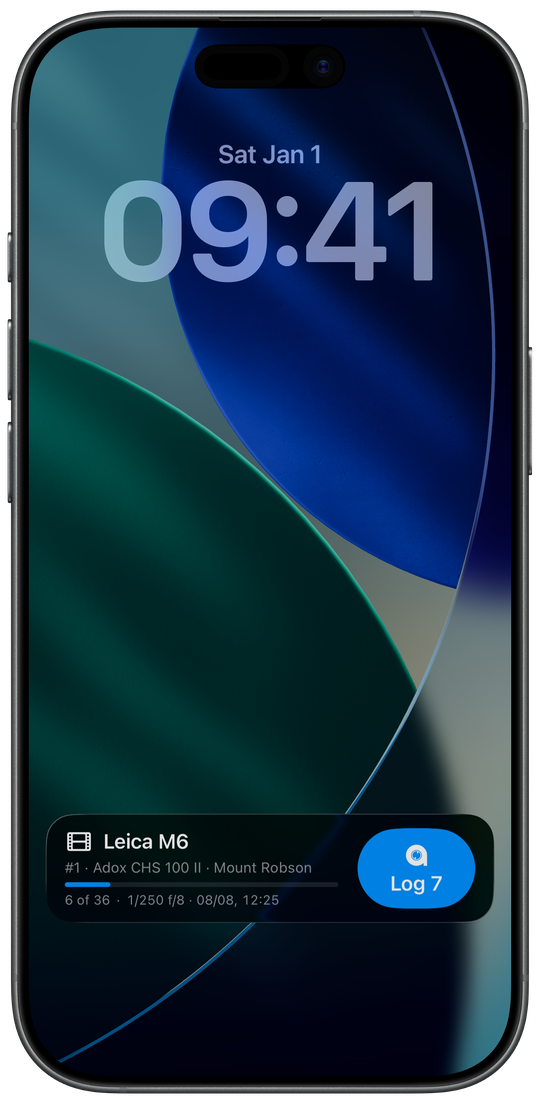
your eye, phone in a pocket? The loaded roll sits on the lock screen with a button
that logs the next frame, the same Log Frame control goes
on the Action button and in Control Centre, and Apple Watch logs onto the same
roll. A frame logged with no dials in front of you records no exposure. That is on
purpose: better no data than a guess.
123
Frame 7 — 1/250, f/8 and the place, one tap.
Every frame already logged, newest first, with the time it was taken.
Two dials, held between frames. Set them once and they stay.
One tap logs the next frame, with the time and the place.
When the roll comes back
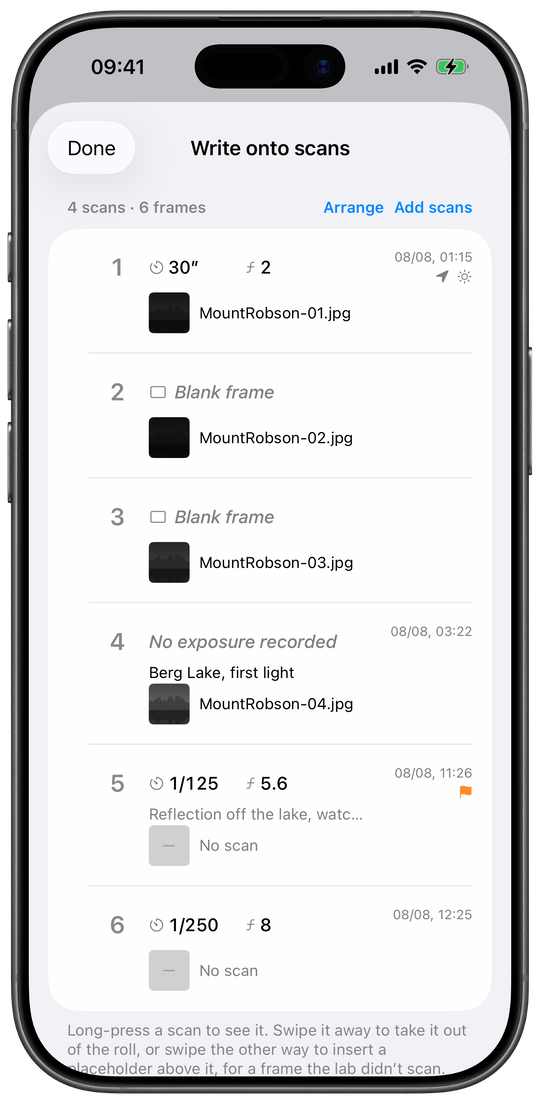
3Check the pairing
Weeks later the lab sends back scans named after a job number. metalign lines
them up against the log by position — frame 1 to the first scan, a blank frame
holding its place — and lays the pairing out to check before anything is
written. A roll that slipped by one frame shows up here, not in your scan folder.
123
Four scans against six frames, laid out before a single byte is written.
A frame paired with the file the lab returned.
A blank frame — a negative nobody logged on. It usually does have a scan, so
this pairing is most often right; the log just can't confirm it.
A frame with no scan at all — the roll is longer than the delivery.
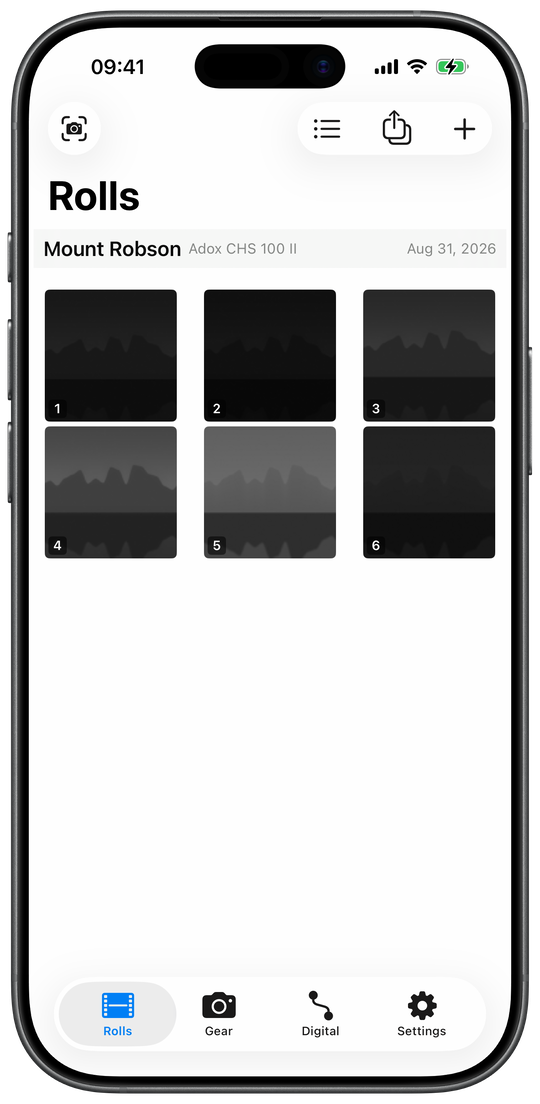
4Write onto the scans
One tap writes the roll: shutter, aperture, lens, film, the time each frame was
taken in the time zone it was taken in, and where. All of it goes into the files
themselves, as real EXIF and XMP, the metadata photo apps read. The picture is
left alone: the pixels are copied as they are, never recompressed, and every file
is read back and checked before you get it. Scans from Files are replaced where
they sit; a photo written back onto itself keeps its
Revert. The written roll stays in the app as a contact
sheet.
12
The roll comes back into the app as a contact sheet.
Which roll this is, and the film it was shot on.
Each written scan, under the number of the frame it was paired with.
At the shutter, without the phone in your hand
Most of a roll gets shot with your phone in a pocket, and it can stay there. The
loaded roll sits on the lock screen with a button that logs the next frame without
unlocking. The same Log Frame control goes on the Action
button or in Control Centre, without building a shortcut first, and Siri logs a frame
by voice, with a note if you have something to say.
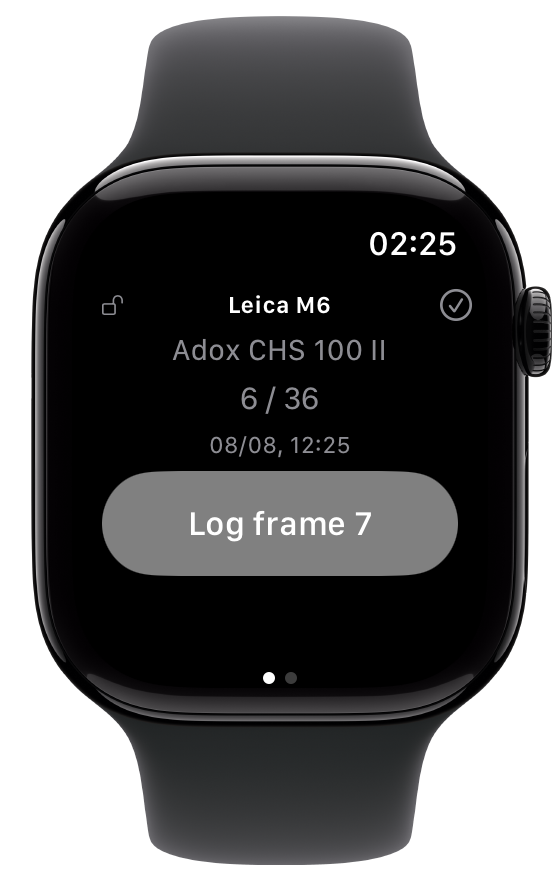
Apple Watch keeps a page for each camera with film in it, and it works with your
phone out of range: the press is saved on the watch and lands on the roll at the time
you pressed, not the time the phone caught up. It takes its own location as you press,
since it is usually right there at the camera.
None of these guess an exposure for you. Log a frame with no dials in front of you
and it records the time, the place and the gear, and leaves shutter and aperture
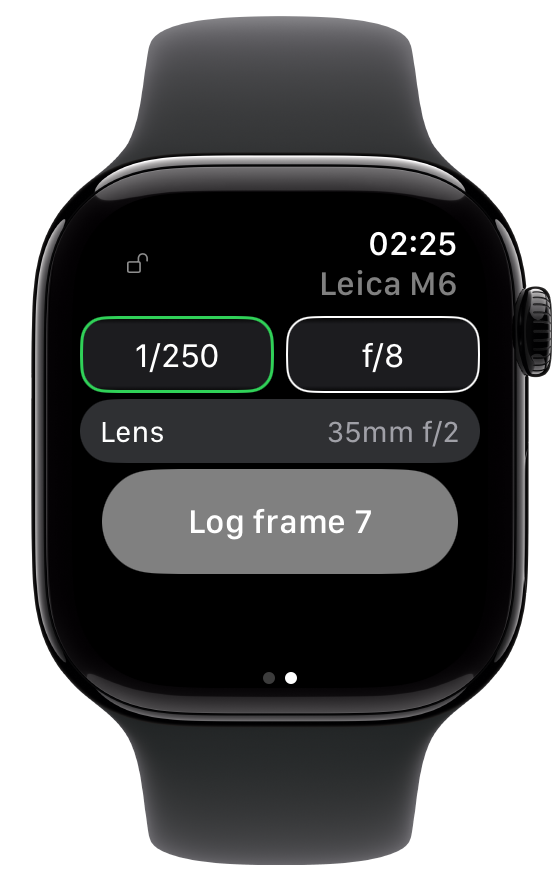
blank. One more swipe on the watch brings up its dials, so a frame logged from your
wrist can carry an exposure too.
The lock screen: the count, and the next frame.
A page per loaded body, and the padlock that stops a stray swipe.
One swipe on: the dials, so a wrist frame can carry an exposure too.
metalign compared to other logbooks
Logging frames is not a new idea, and there are honest apps in the field. This is
where metalign differs from most of them.
What
The usual logbook
metalign
Logging a frame
Open the app; each setting gets a picker that opens when you tap it.
The dials sit in the capture bar, holding where you left them; one tap logs the frame, time and place included.
With the phone in a pocket
Mostly, the app is the only way in.
The loaded roll sits on the lock screen with a button for the next frame; the Action button and Control Centre log one without building a shortcut first; Siri logs one by voice, with a note if you have something to say.
Apple Watch
Few have one.
A page per loaded body with its dials one swipe away, and the phone can stay out of reach: a press is kept on the watch and lands on the roll at the time you pressed, with the location fix the watch itself took.
The record a frame keeps
The exposure, the gear, a time and a place, sometimes a note.
Those, plus the filter with its cost stated in stops, flash, a title and a caption, how the frame was logged, and the light it was made in: golden hour, blue hour, the sun's height and direction.
When the scans come back
The log is handed to a computer, as a CSV, an ExifTool script or a desktop app, and the metadata is written there.
The roll is finished on the phone: pair, check, write. A lab's JPEG scans go back into Files or Photos carrying the log as real metadata.
Matching scans to frames
Done once, by eye, and taken on trust.
Laid out to check: blank frames and missing scans each get their own mark, and each is fixed right there in the table; a wind-on shot at the head of the roll raises a warning, and a long press shows the scan.
Writing onto the scans
Assumed to have worked.
Pixels are copied, never re-encoded; the log merges onto what the file already carried; every file is read back before delivery, and one that lost its capture date is not delivered.
The film in the fridge
A list of rolls.
An inventory: storage, fridge and freezer, expiry as the box prints it, barcodes learned from your own boxes, and a part-shot roll that says so.
The gear
Names you type in yourself.
Picked from a built-in catalogue: a body's real shutter speeds, a lens's real ring clicks, a frame counter that starts below 1 when the camera's does.
Shoot the next roll logged. metalign is coming soon for iPhone and Apple Watch;
until it lands, the handbook has the
whole workflow.